How to Convert TikTok Video to MP3 Audio Free (Step by Step Guide 2026)
Saving your favorite TikTok sounds as MP3 files is easier than ever. Just visit our website, paste the TikTok video link, and choose the “Audio (MP3)” option. Our free converter instantly extracts the audio and downloads it directly to your device – no watermarks, no registration, and no software installation. Whether you’re on a phone, tablet, or desktop, the process takes just seconds. The MP3 file is high quality and ready to use offline anytime.
👉 Visit tikvideosaver.com now and start downloading your TikTok MP3s for free!
You cannot export audio directly from TikTok. You cannot save a sound as an MP3 to your phone. The app gives you the option to use a sound in your own videos but that is completely different from actually downloading the audio file itself. For anyone who just wants the music or the voiceover or the sound effect saved as a proper audio file — TikTok offers nothing.
That is exactly the problem TikVideoSaver solves. In this guide I am going to walk you through how to convert any public TikTok video to MP3 audio completely free — step by step, no technical knowledge needed, no login required, and no app to install.
Why Would You Want to Convert a TikTok Video to MP3
Before we get into the steps let me address this because there are actually quite a few genuine reasons people want TikTok audio as an MP3 file.
The most common reason is music discovery. TikTok has become one of the most powerful music discovery platforms in the world. Songs go viral on TikTok before they even chart anywhere else. A lot of people hear a track on TikTok for the first time and want to save it immediately for offline listening before they even have a chance to find it on a streaming platform.
Another common reason is podcast-style content. A lot of creators on TikTok produce spoken word content — commentary, storytelling, educational audio, motivational speeches. People want to listen to this kind of content the same way they listen to podcasts — while commuting, exercising, or doing something else at the same time. Having it as an MP3 makes that possible.
Some people also want TikTok audio for video editing projects. If you are creating your own content and you want to use a particular sound that went viral on TikTok, having it as a clean MP3 file makes it much easier to work with in any editing software.
And then there are people who simply want to keep a piece of audio as a personal memory. A voice message, a funny clip, a moment they want to hold onto. All completely valid reasons.
What You Need Before You Start
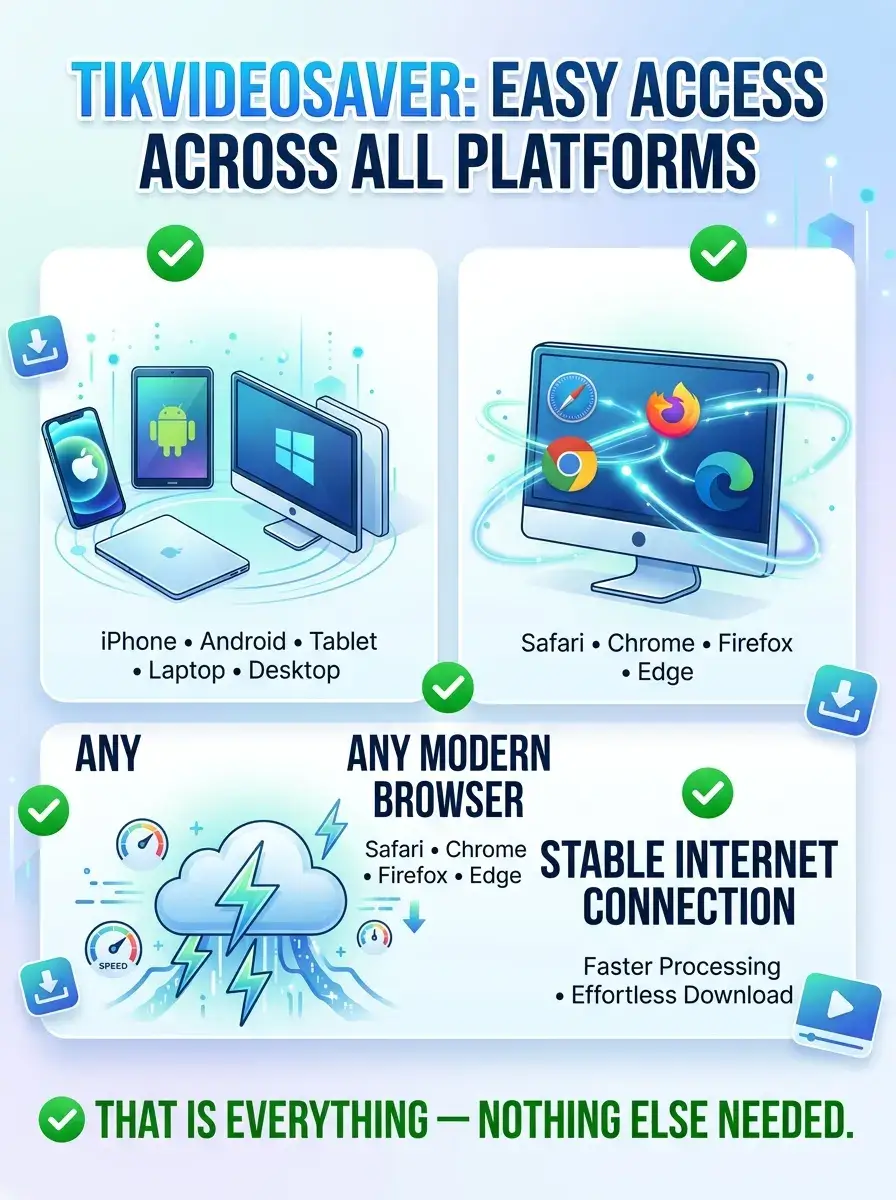
Just like everything else on TikVideoSaver, this process requires almost nothing from your end. Here is the complete list:
✔ Any device — iPhone, Android, tablet, laptop, desktop
✔ Any modern browser — Safari, Chrome, Firefox, Edge
✔ The TikTok app or TikTok website to copy your video link
✔ A stable internet connection for faster processing
✔ That is everything — nothing else needed
No account. No subscription. No payment. No app download. No browser extension. Just your device and a TikTok link.
Step by Step — How to Convert TikTok Video to MP3 Free
Step 1 — Find the TikTok Video With the Audio You Want
Open TikTok on your phone or go to the TikTok website on your desktop browser. Find the specific video that contains the audio you want to convert to MP3. This could be a music video, a spoken word piece, a comedy clip with a funny sound, or anything else with audio you want to keep.
Before you move on make absolutely sure the account posting this video is public. TikVideoSaver only works with publicly available TikTok content. If the account is private their content is protected and inaccessible through any external tool. This is by design and we fully respect user privacy. If the account is public you are good to go.
Step 2 — Copy the TikTok Video Link
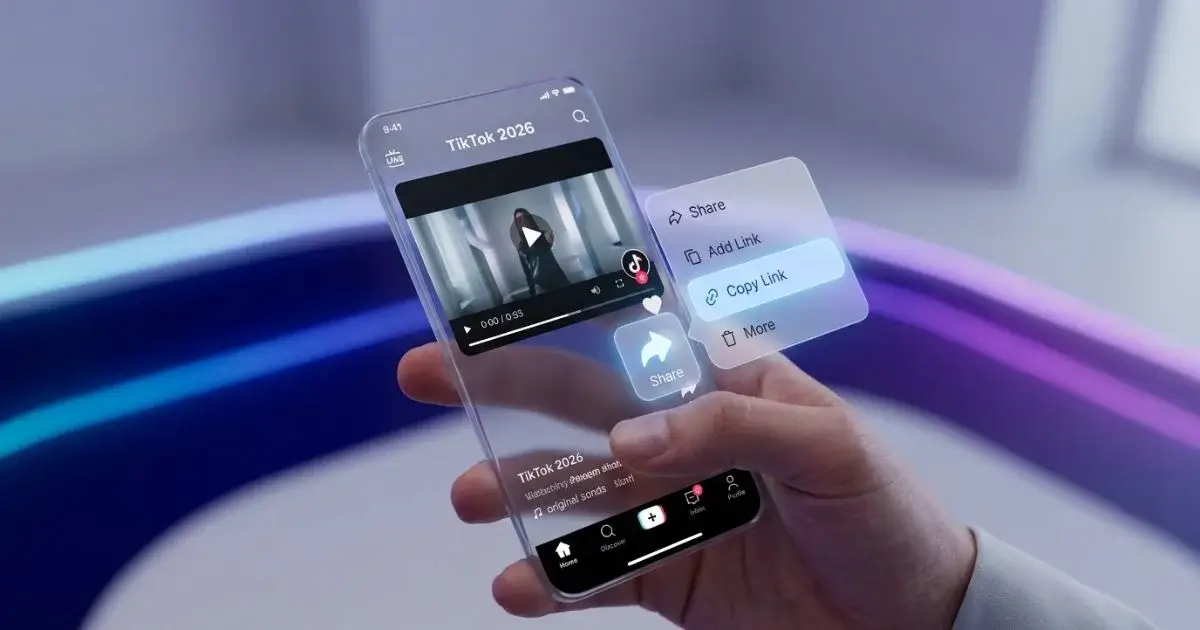
On mobile — tap the Share icon on the right side of the TikTok video. It is the arrow icon that you probably already know well. A menu will appear at the bottom of your screen with various sharing options. Find the option that says Copy Link and tap it. The link is now sitting in your clipboard ready to use.
On desktop — go to the TikTok video in your browser and simply copy the full URL from the address bar. That is all there is to it on desktop.
Both methods work exactly the same way with TikVideoSaver so use whichever one is more convenient for you right now.
Step 3 — Open TikVideoSaver in Your Browser
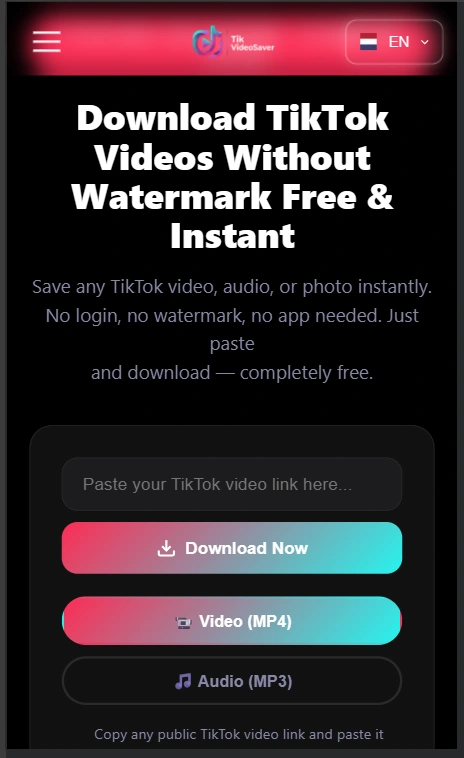
Switch over to your browser and open TikVideoSaver. The website loads fast and you will see the download tool right there on the homepage without any distractions. No account wall, no signup popup, no premium upsell. Just the tool waiting for your link.
Step 4 — Paste the Link Into the Input Box
Tap or click on the input box on the TikVideoSaver homepage and paste the TikTok link you copied. On mobile tap and hold inside the box and select Paste. On desktop use Ctrl+V on Windows or Command+V on Mac. Once your link is sitting in the input box tap or click the Download button.
TikVideoSaver will immediately begin processing your request. This usually takes no more than a few seconds depending on your internet connection speed.
Step 5 — Select the MP3 Audio Option
Once processing is complete TikVideoSaver will show you your download options. This is the important step for converting to MP3. You will see two options — one for MP4 video and one for MP3 audio. Since you want just the audio, select the MP3 option and tap or click the download button next to it.
Your audio file will begin downloading immediately.
Step 6 — Save the MP3 to Your Device
The MP3 file will download to your device just like any other file. On Android it typically goes to your Downloads folder. On iPhone you may need to save it to your Files app first and then move it wherever you want. On desktop it downloads straight to your default Downloads folder.
Once it is saved you can play it in any music app, transfer it to any device, use it in any editing software, or keep it wherever you store your audio files. It is a standard MP3 file that works with everything.
What Quality is the MP3 Audio
This is something a lot of people ask about and the answer is straightforward. TikVideoSaver extracts the audio directly from the original TikTok video file. The quality of the MP3 you get depends entirely on the quality of the audio that was in the original video.
TikTok videos are generally processed at a reasonable audio quality for a social media platform. The audio you get will be clean and clear for everyday listening purposes. It will sound perfectly fine in earphones, car speakers, or any standard audio setup. If you are looking for studio-quality audio for professional music production, TikTok is not really the right source for that anyway — but for everything else the quality is absolutely fine.
Does This Work for All Types of TikTok Audio
For the most part yes. Here is a breakdown of what works and what to keep in mind:
✔ Original songs and music uploaded by creators — works perfectly
✔ TikTok trending sounds and audio clips — works perfectly
✔ Spoken word content, podcasts, commentary — works perfectly
✔ Voiceovers and narration videos — works perfectly
✔ Comedy clips and funny sound bites — works perfectly
✔ Public account content — always works
✘ Private account content — not accessible, by design
✘ TikTok LIVE recordings — may not always be available
As long as the content is from a public account and the video is publicly accessible the MP3 conversion will work without any issues.
Can I Use the MP3 for My Own Videos or Content
This is an important question and deserves an honest answer. The audio you extract from a TikTok video may be subject to copyright depending on what it contains. If it is an original song by a signed artist, that music is protected by copyright and you cannot legally use it in your own commercial content without proper licensing.
However if the audio is original content created by the TikTok creator themselves — like their own voiceover, their own music, or their own original sound — the situation is different and you would need the creator's permission to use it in your own content.
For personal offline listening there are generally no issues. But if you plan to use downloaded audio in content you publish publicly or commercially, always make sure you have the right to use it. When in doubt reach out to the original creator and ask. Most creators appreciate being asked and many are happy to give permission.
TikVideoSaver is built for personal use and we always encourage responsible and respectful use of downloaded content.
Why Not Just Use Spotify or Apple Music Instead
This is a fair point and for music that is available on streaming platforms it is always better to stream it through the proper channels. Artists get paid when you stream their music legitimately and supporting creators properly is always the right thing to do.
But here is the reality. Not every sound on TikTok is available on Spotify or Apple Music. TikTok is full of original remixes, fan-made edits, unreleased tracks, original creator sounds, and audio that simply does not exist anywhere else. For all of those cases TikVideoSaver gives you a way to keep that audio without it disappearing the next time the creator deletes their video or deactivates their account.
Comparing TikVideoSaver MP3 Download to Other Methods
There are other ways people try to get audio from TikTok videos. Screen recording with your phone microphone is one option but the quality is terrible and you pick up all the background noise around you. Some people use desktop software that records system audio which is better but still adds another layer of complexity and potential quality loss.
Other online tools claim to offer TikTok to MP3 conversion but many of them are cluttered with fake download buttons, require you to log in with your TikTok account, or just do not work reliably. Some add their own watermarks or branding to the audio file which defeats the entire purpose.
TikVideoSaver goes directly to the source. It pulls the original audio from TikTok's servers and delivers it to you as a clean MP3 file. No extra steps, no fake buttons, no login, no watermarks on your audio. Just the clean audio file ready to use.
Tips for the Best MP3 Download Experience
✔ Use a strong WiFi connection for faster processing
✔ Make sure you copy the full TikTok link without cutting it off
✔ Always check that the account is public before trying to download
✔ On iPhone save to Files app first if direct save does not work
✔ Use Chrome on Android for the smoothest download experience
✔ If processing fails simply refresh and try once more
✔ For long videos give it a few extra seconds to process fully
Is TikVideoSaver Safe for MP3 Downloads
Yes completely. TikVideoSaver does not ask for your TikTok login, does not collect your personal data, and does not track what you download or when. Your device and your TikTok account are never connected to this tool in any way. You simply paste a public link and receive your file. Nothing more happens on the backend that involves your personal information.
The MP3 files you download are clean audio files with no malware, no embedded tracking, and no hidden anything. Just audio.
Final Thoughts
Converting a TikTok video to MP3 audio does not have to be complicated or risky. TikVideoSaver makes the whole thing straightforward — copy the link, paste it, choose MP3, download. The entire process from start to finish takes under a minute and you end up with a clean audio file on your device ready to use however you need it.
Whether you are saving a song you discovered, keeping a voiceover for offline listening, or extracting audio for a personal project — TikVideoSaver handles it cleanly, quickly, and completely free every single time.
No login. No watermark. No limits. Just your audio, saved clean.
Want to try it right now? Go to TikVideoSaver, paste your TikTok link, choose MP3, and your audio is ready in seconds.